Updates · 25 July 2026 · Shipped

Podcast
Studio.

From article audio to the daily audio edition. A five-step edition desk that turns selected stories into a short, branded podcast — controlled by the newsroom, powered by the BotTalk Audio Operating Layer.

Publishers already narrate every article. But listeners don’t wake up asking for one article — they wake up asking for the edition. Podcast Studio is the desk that closes that gap: pick the stories, pick the format, publish the episode on the publisher’s own feed.

The whole flow lives in five steps: Select Articles, Configure, Generate, Episode Info, Publish. Every step is a decision the newsroom already knows how to make. Nothing hides in a producer’s inbox.

Step 1 — Select the stories

The article list is the newsroom’s own inventory, already narrated by BotTalk. Sort by top plays or most recent, scope to day, week, or month, tick the three to ten pieces that belong in tonight’s edition.
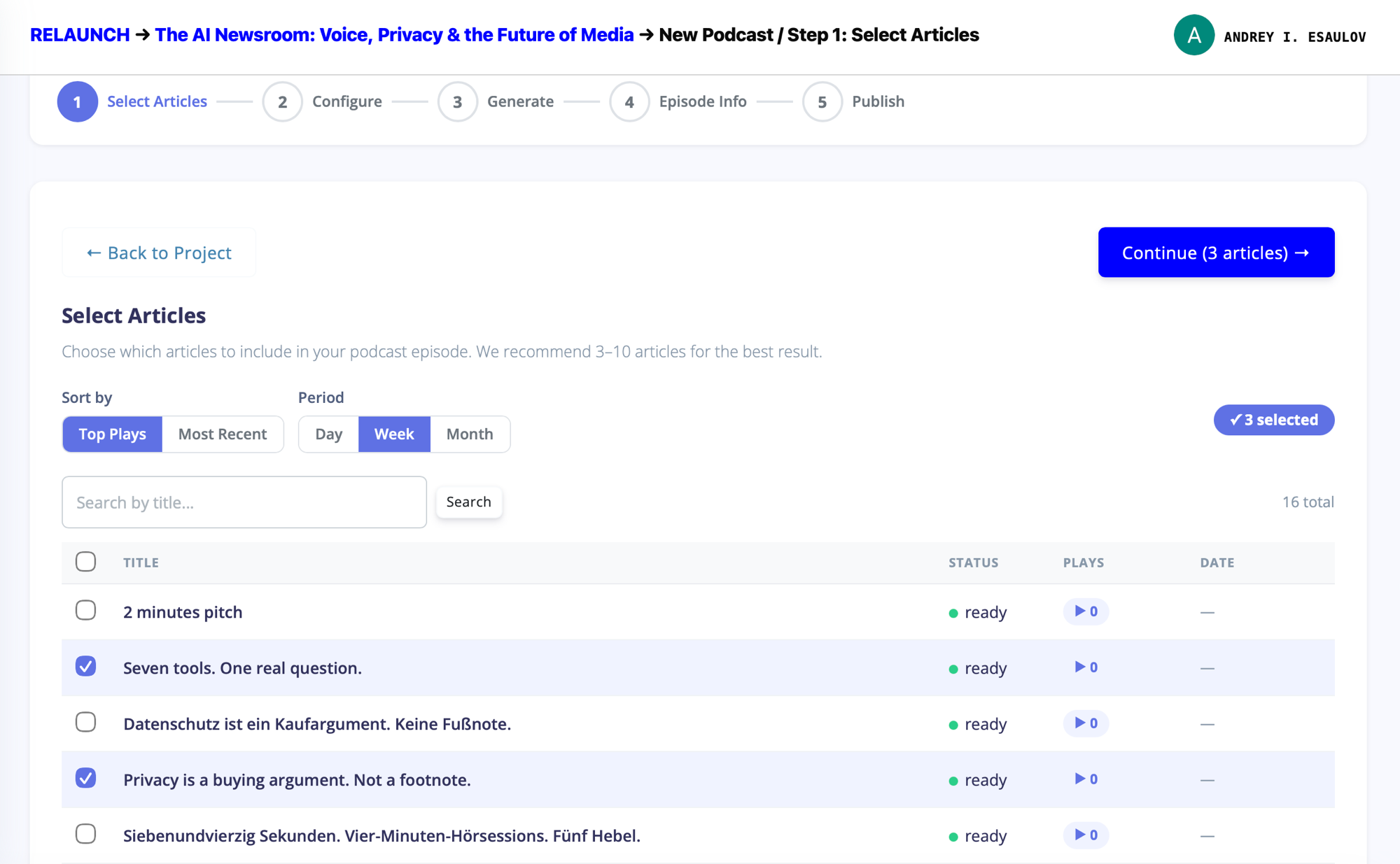
Podcast Studio step 1: Select Articles. Progress bar shows five steps: Select Articles, Configure, Generate, Episode Info, Publish. The article table lists ready-narrated pieces from The AI Newsroom project — three are ticked (Seven tools. One real question. and Privacy is a buying argument. Not a footnote.), with 16 total available. Sort controls sit above the table: Top Plays, Most Recent, Day, Week, Month.
Step 1 The wizard shell: five steps across the top, the article inventory below. Three articles ticked, ready to move to configure — the Continue button counts them for the editor as they select.

Step 2 — Set the standard

Six summarization scenarios, one click. Interview, Dialogue, TED Talk, Expert debate, Storytelling, News broadcast. Each one is a different way of turning the same articles into a script. The newsroom picks the register that fits the edition — a morning briefing is not a late-night storytelling piece, and the format decides the tone before a single word is written.
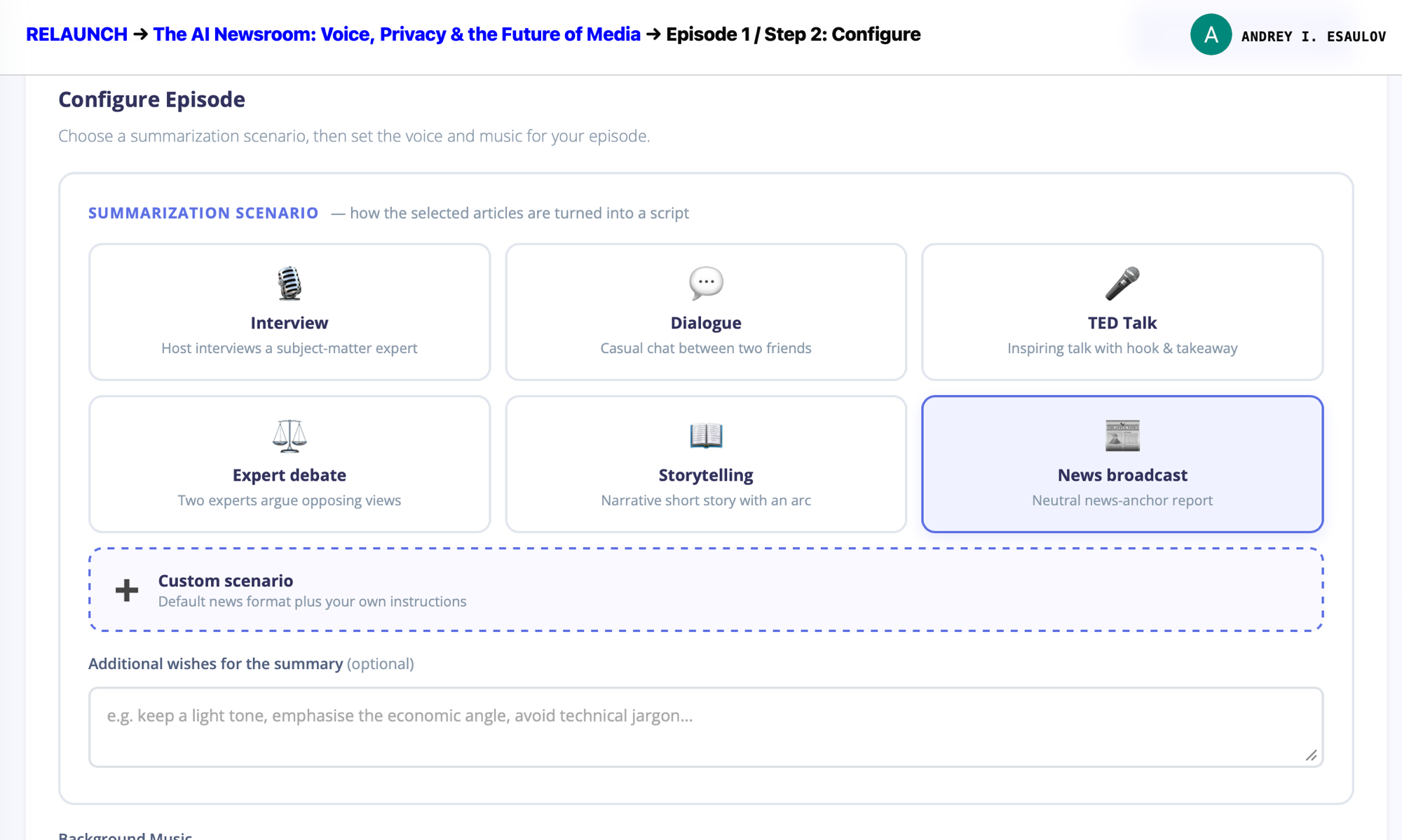
Podcast Studio step 2: Configure Episode. Six summarization scenario tiles: Interview, Dialogue, TED Talk, Expert debate, Storytelling, News broadcast (currently selected, outlined in blue). Below them a dashed Custom scenario tile and an optional additional wishes textarea.
Step 2 · Scenario News broadcast selected for this edition — neutral news-anchor report. Under the six defaults, a Custom scenario tile takes the same defaults and adds the newsroom’s own instructions.

Same step, second half: pick the voice and pick the music. Voices are drawn from the publisher’s own layer catalogue — the same voices that already narrate their articles. No second identity to manage.
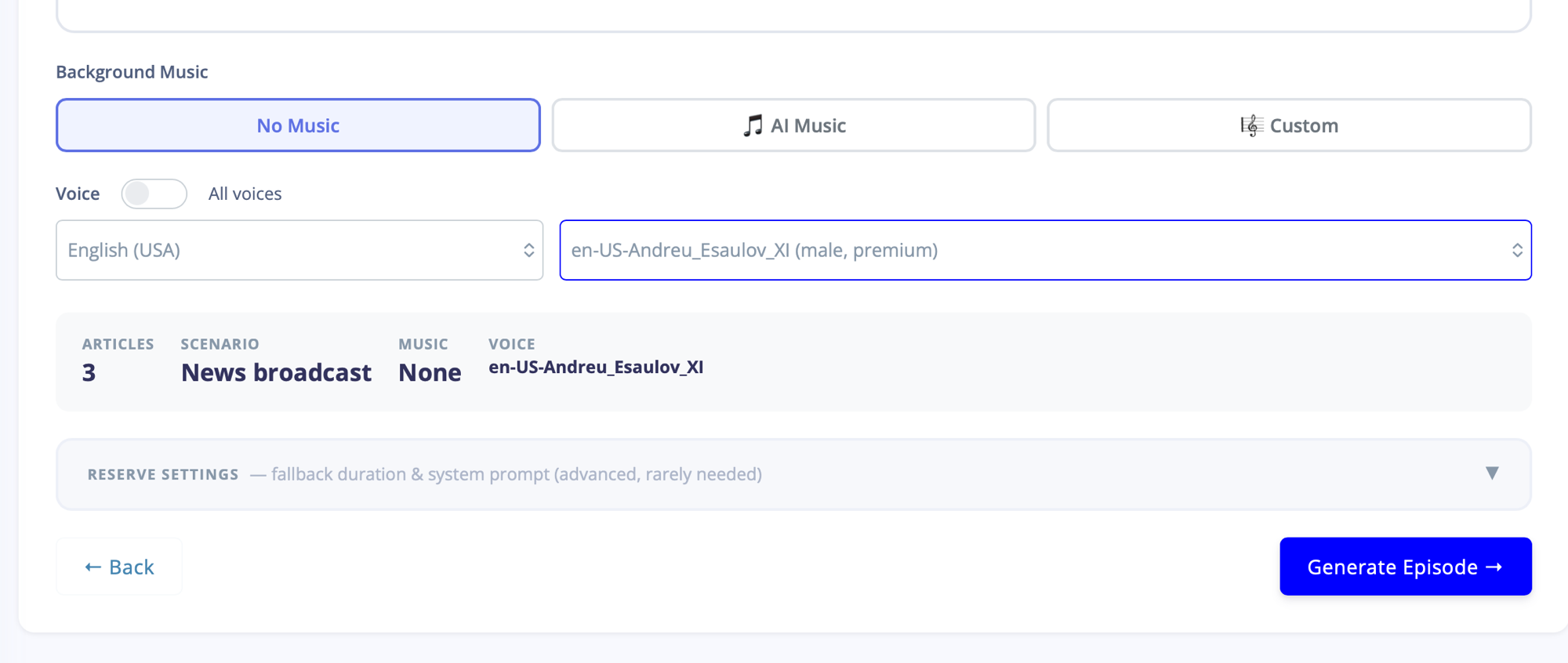
Podcast Studio step 2 continued: Background Music tabs (No Music, AI Music, Custom) and Voice selection (English USA, en-US-Andreu_Esaulov_XI, male, premium). A summary strip shows Articles 3, Scenario News broadcast, Music None, Voice en-US-Andreu_Esaulov_XI. Generate Episode button in the bottom right.
Step 2 · Voice & music Three music modes — none, AI-composed, or the newsroom’s own custom bed. The summary strip freezes the four decisions (articles, scenario, music, voice) before the model touches anything.

Step 3 — Three models, one edition

Generation isn’t a single model producing a single script. Three models run in parallel — Amazon Nova Pro, Claude Opus 4.6, Claude Sonnet 4.6 — each writing its own version of the summary. Twenty to forty seconds later, the newsroom picks the one that reads best. No prompt engineering, no re-runs by hand.

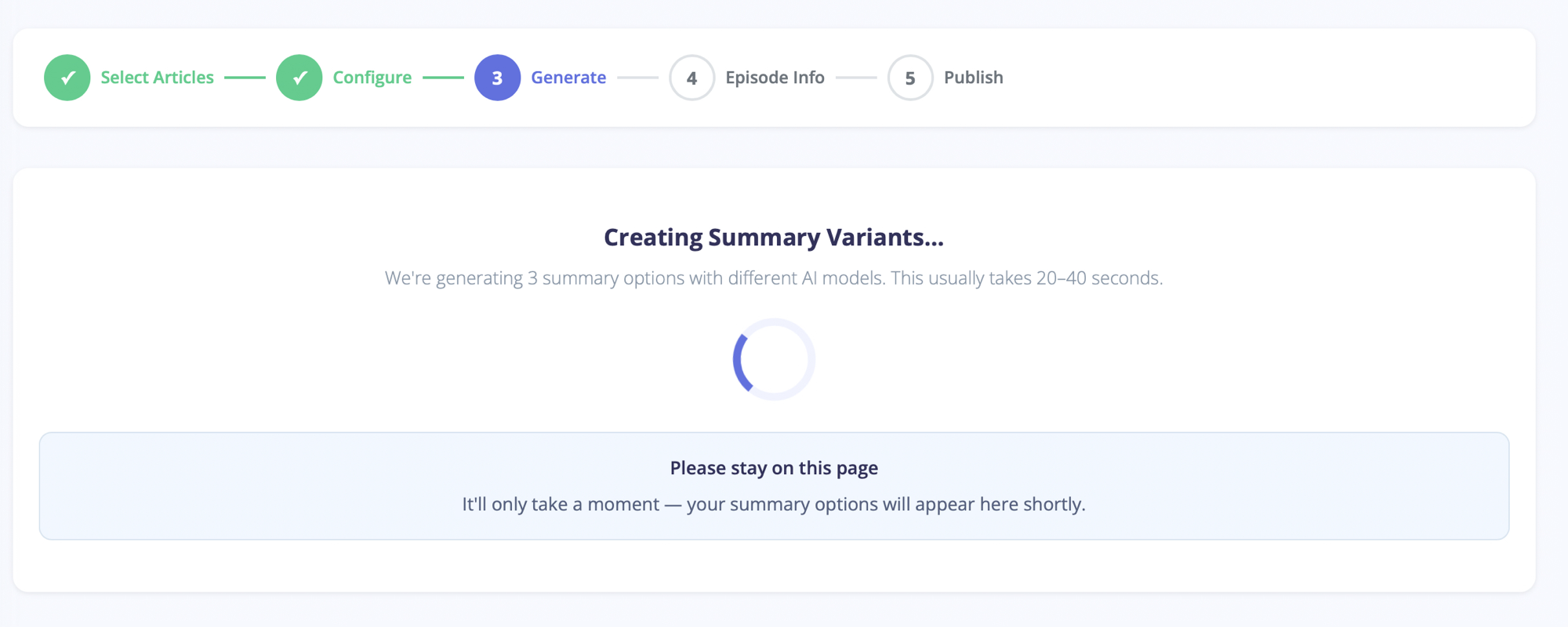
Podcast Studio step 3: Generate. Loading state with the caption Creating Summary Variants and a note We're generating 3 summary options with different AI models. This usually takes 20-40 seconds. A blue spinner animates in the centre, with a Please stay on this page instruction card below.
Step 3 · Generating Twenty to forty seconds of parallel work. The wait is honest because the model choice matters — three different voices on the same source produce three different editions.
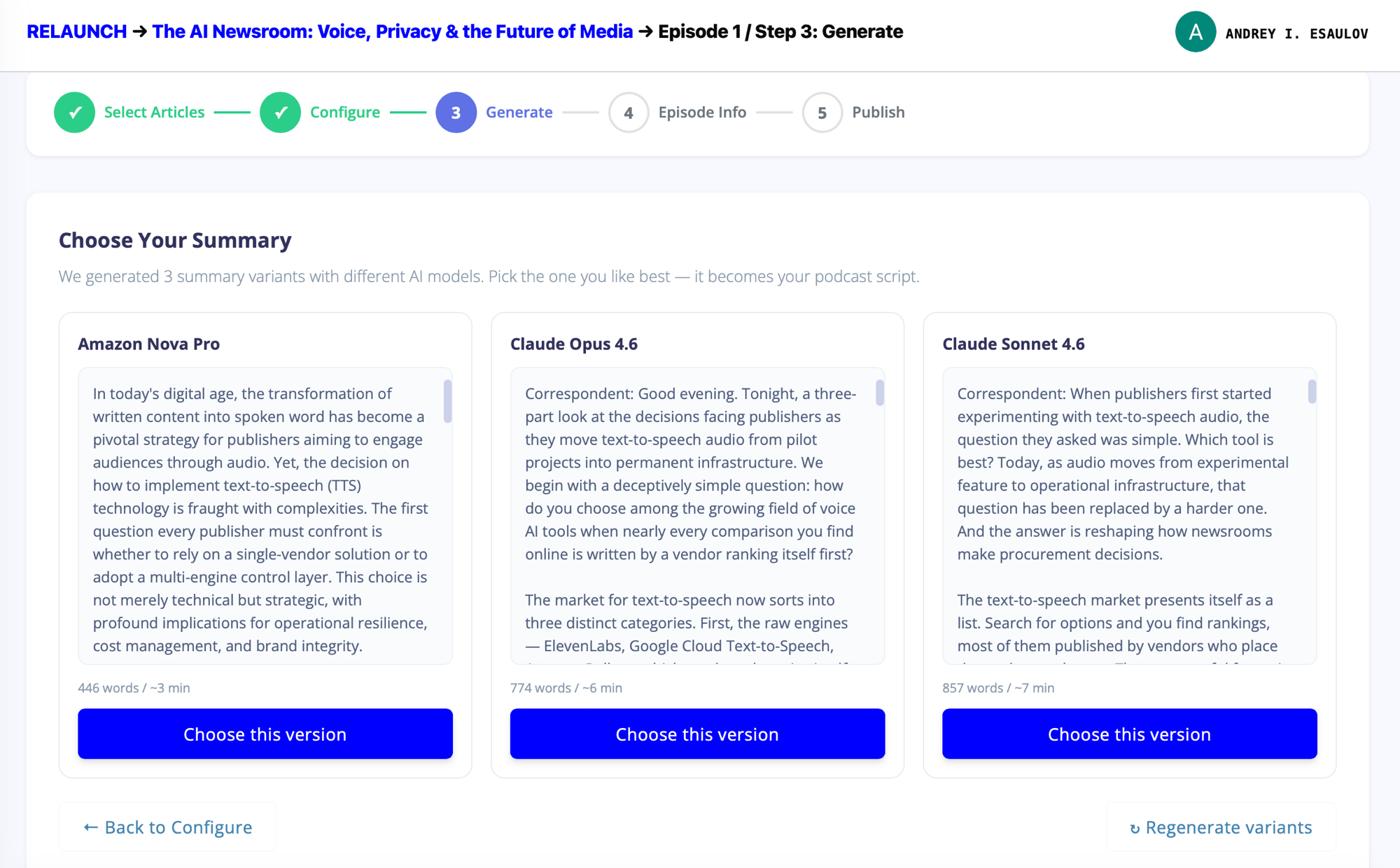
Podcast Studio step 3: Choose Your Summary. Three side-by-side cards from Amazon Nova Pro (446 words, ~3 min), Claude Opus 4.6 (774 words, ~6 min), and Claude Sonnet 4.6 (857 words, ~7 min). Each shows the opening lines of the generated summary and a Choose this version button in Rocket Blue.
Step 3 · Choose Three summaries, three word counts, three running times. Editors read the openings, pick the one that matches the edition’s intent, and the choice becomes the podcast script.

Chosen script goes through the same TTS pipeline that powers every BotTalk article — the layer routes the voice to the provider that renders it best, the seams get checked (see AI Quality Control), and the episode assembles.
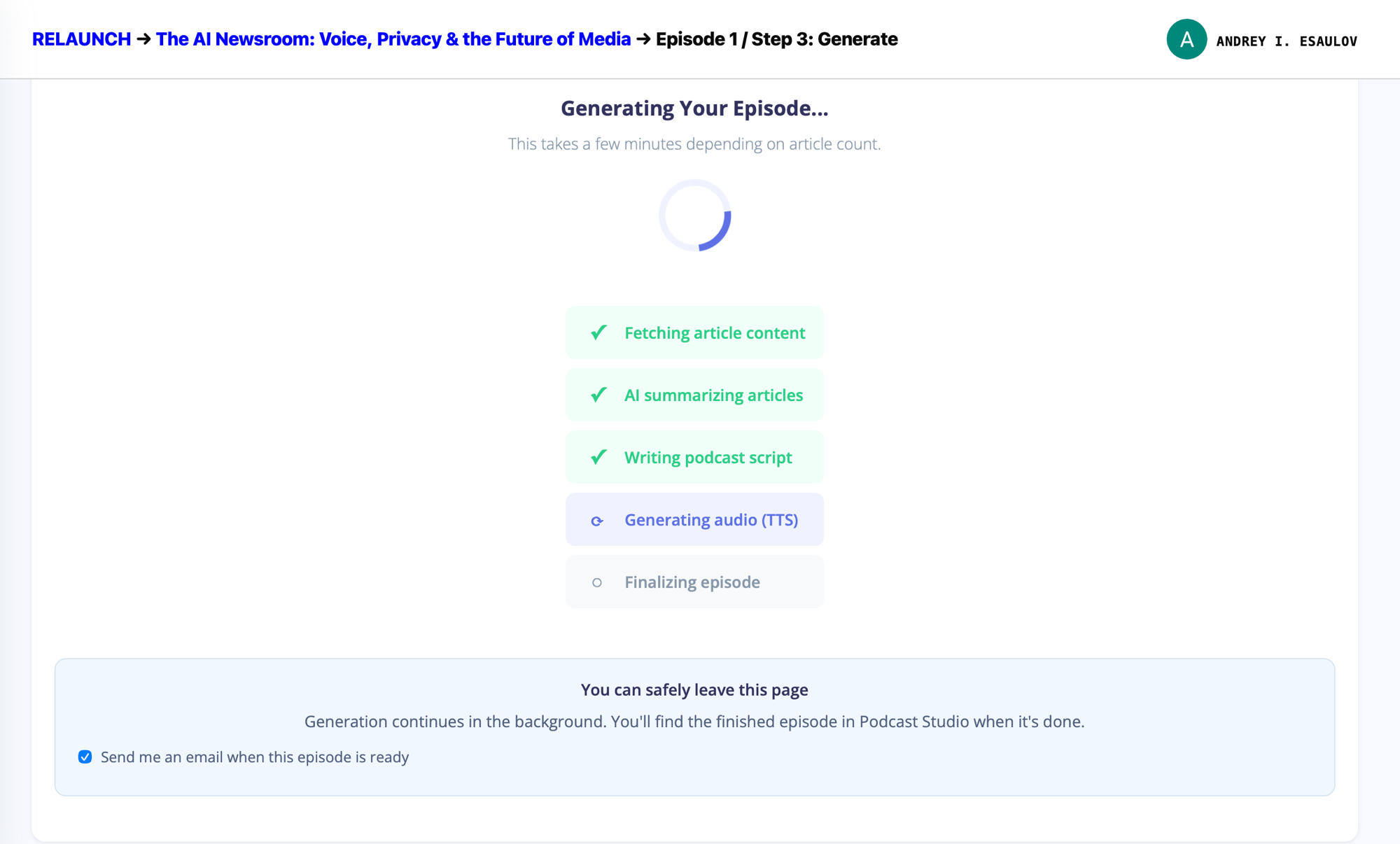
Podcast Studio: Generating Your Episode progress panel. Five checklist rows: Fetching article content (done), AI summarizing articles (done), Writing podcast script (done), Generating audio TTS (in progress with spinner), Finalizing episode (pending). Below, a note reads You can safely leave this page — generation continues in the background. A checkbox is ticked to email the editor when the episode is ready.
Step 3 · Assembling The pipeline works in the background. Editors can close the tab, walk to a meeting, and get an email when the episode lands.

The Working Rule

Three articles in.
One edition out.
No producer in the middle.

  • Steps end to end

    5

    Select. Configure. Generate. Info. Publish. One wizard, no intake form.

  • Newsroom scenarios

    6

    Interview, dialogue, TED talk, expert debate, storytelling, news broadcast. Format decides tone.

  • Models in parallel

    3

    Nova Pro. Opus 4.6. Sonnet 4.6. The newsroom picks the read.

  • Time to draft

    ~40 sec

    Three summaries generated, ready to choose. Producer meetings take longer.

Every edition ships to its own player

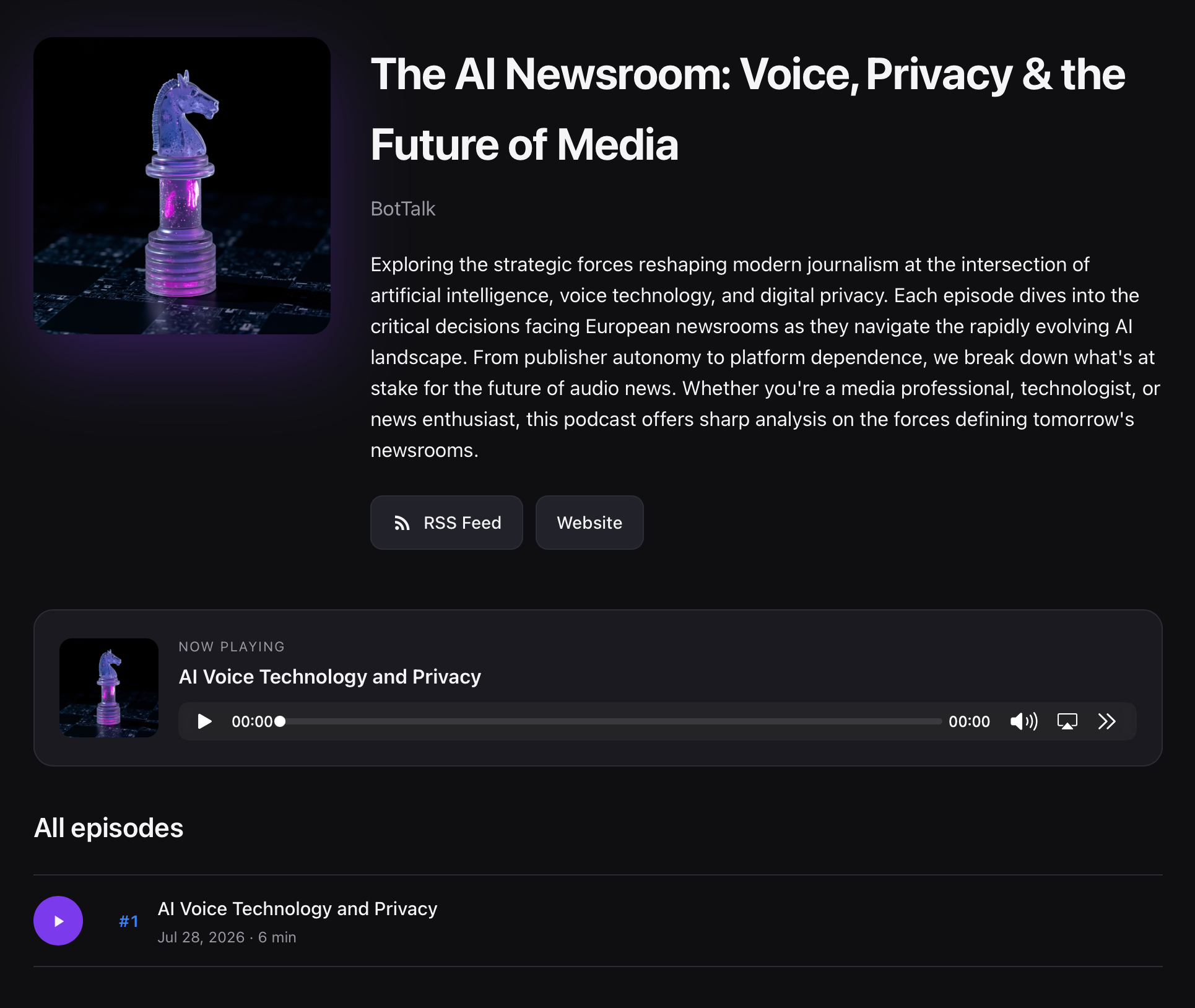
Steps 4 and 5 name the episode, set the artwork, and publish it. Each podcast lands on a full landing page with its own RSS feed, episode player, and description — ready to share, ready to syndicate, indexed by the podcast directories the newsroom already ships to.

A published Podcast Studio landing page in dark theme, titled The AI Newsroom: Voice, Privacy and the Future of Media by BotTalk. Left: a purple-and-black chess-knight cover artwork. Right: podcast description, RSS Feed and Website buttons. Below: a Now Playing panel for the AI Voice Technology and Privacy episode with a full audio player, then an All episodes section listing episode #1 dated Jul 28 2026, 6 minutes long.
Published The AI Newsroom: Voice, Privacy & the Future of Media — published in ten clicks from a set of BotTalk-narrated articles. Cover art, RSS feed, episode player, syndication: handled.

What’s in the box today

  • Five-step wizard covering the whole loop: Select Articles → Configure → Generate → Episode Info → Publish. No hidden state, no producer intake form.
  • Six summarization scenarios — Interview, Dialogue, TED Talk, Expert debate, Storytelling, News broadcast — plus a Custom scenario slot for newsroom-specific instructions.
  • Three-model parallel generation (Amazon Nova Pro, Claude Opus 4.6, Claude Sonnet 4.6). Editors pick the voice that reads best.
  • Voice + music controls that reuse the publisher’s existing layer catalogue. No new identity to manage.
  • Background rendering with email-when-ready. The pipeline finishes even when the tab is closed.
  • Full podcast landing page per edition — cover art, description, RSS feed, episode player, syndication — ready to share the moment publish is clicked.

Where it goes next

Two lines of work already on the ledger for the next few releases: scheduled editions so the newsroom picks the rhythm (daily 07:00, weekly Friday, weekend digest) and Podcast Studio holds the schedule, and a voice pack per edition so a morning briefing and a late-night storytelling piece can share a project without sharing a voice.

Back to the shipping log

See Podcast Studio on your own stories

Talk to Andrey.

Bring an article set. We’ll walk the edition desk, the control layer, and the published feed — live, in thirty minutes.